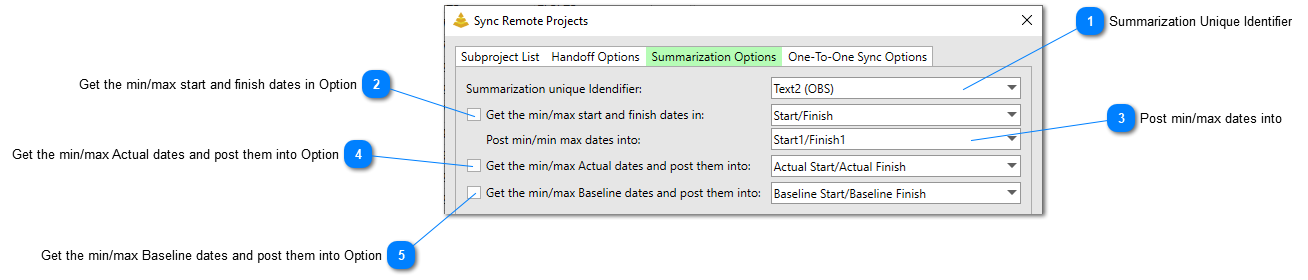
The Summarization Options tab contains all the options for summarizing collections of tasks in the Master Project or from Subprojects. Summarization is a different way to handle data in a multi-project structure that does not require the user to have Handoffs identified, marked, and flagged. Rather it will summarize the period of performance of tasks that have been marked with a common value and can post those dates into the Master Project or Subproject files.
Summarization Unique Identifier
Set this option to the text field that will contain common values that can be summarized across projects.
Check this option to instruct the tool to summarize the minimum and maximum dates found in the start/finish fields selected in the drop-down list of any task that has a common value in the field selected as the Summarization unique identifier.
Get the min/max Actual dates and post them into Option
Check this option to instruct the tool to summarize the minimum and maximum dates found in the actual start/actual finish fields of any task that has a common value in the field selected as the Summarization unique identifier. These minimum and maximum dates will be posted into the start/finish field selected directly to the right of this option.
Get the min/max Baseline dates and post them into Option
Check this option to instruct the tool to summarize the minimum and maximum dates found in the baseline start/actual finish fields of any task that has a common value in the field selected as the Summarization unique identifier. These minimum and maximum dates will be posted into the start/finish field selected directly to the right of this option.