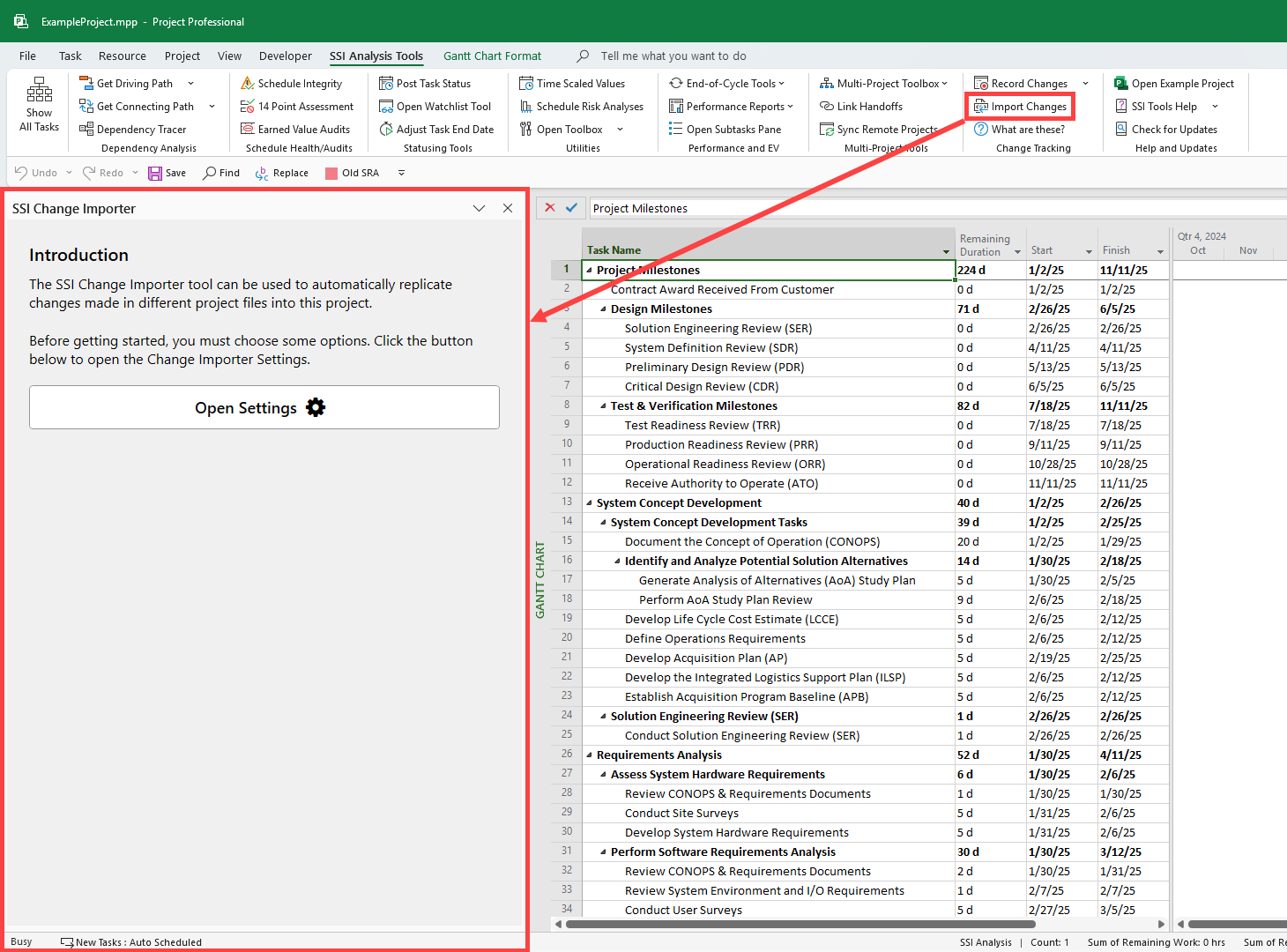
The SSI Change Importer Pane walks users through the process of importing changes. To open the Change Importer Pane, click the Import Changesbutton in the Change Tracking Group. By default, this pane will be docked to the left side of the Microsoft Project Window.