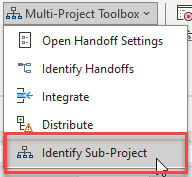
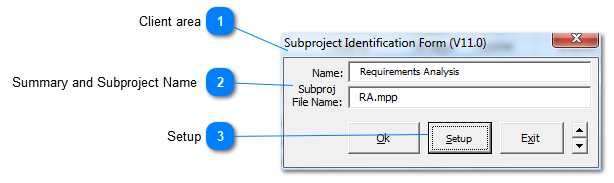
Select a summary level in the Work Breakdown Structure (WBS) of a project and add a Subproject name. The SSI tool named Distribute can be used to create standalone projects from these WBS levels that include the WBS summary and all its child WBS elements.
Name shows the Task Name in Microsoft Project of summary item selected. Subproj File Name is the Microsoft Project file name used when the summary is distributed as a Subproject.
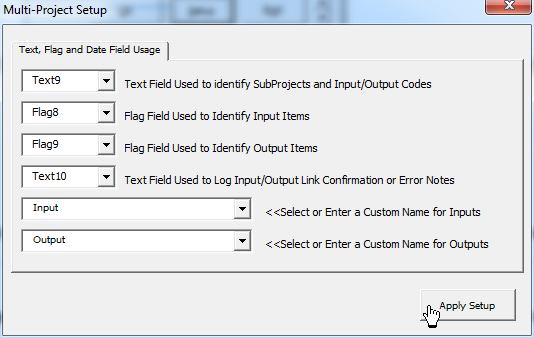
Microsoft Project flag fields are used by the SSI Multi-project tools. When identifying Subprojects, the Subproj File Name is recorded in the text field chosen by the user for this purpose. Text9 is the default value.
Setup for Fields Used by SSI Tools
Text Field Used to identify SubProjects and Input/Output Codes: One Text field is for two purposes. SSI Tools finds Inputs & Outputs to link based on a unique code you enter in a text field. Whenever SSI Tools finds an Input in a project, it searches for an Output with a matching code to link from. The code can be any combination of letters and numbers but it should be unique for each set of Input/Output items in a project. used to record the code used to pair Inputs & Outputs
Flag Field Used to Identify Input Items
Flag Field Used to Identify Output Items
Text Field Used to Log Input/Output Link Confirmation or Error Notes