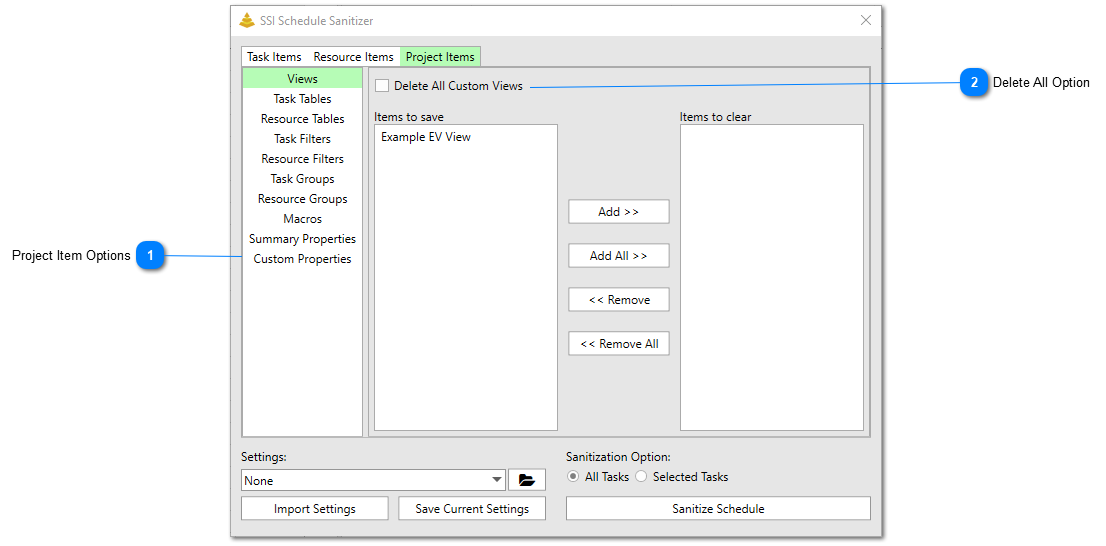
The Project Items Tab allows users to choose which project level data to be removed when the schedule sanitization occurs.
Project Item Options
Use these controls to chose what Project level data to be sanitized. Project level data includes:
· Custom views
· Custom tables
· Custom filters
· Custom groups
· Macros saved in the project file
· Project summary properties
· Project custom properties
Project summary and custom properties are the properties that can be viewed in the Project Properties dialog. This dialog can be opened by clicking File Info Project Information Advanced Properties. Custom properties are often properties that are set by custom tools. Many SSI Tools will set custom properties at the project level to remember user settings.
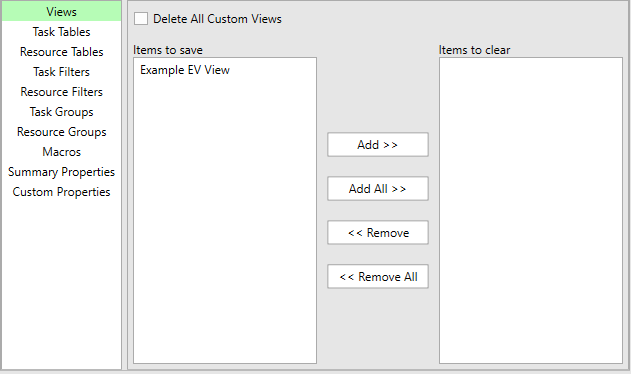
The list box control on the left side is the Project Items to Save list. The list on the right side is the Project Items Fields to Clear list. Items can be moved back and forth between the two lists by using the Add and Remove buttons. When the schedule sanitization occurs, data in the Project Items Fields to Clearlist will be removed, while data in the Project Items Fields to Savelistwill be preserved.
Clicking the Add >> button will move any items you have selected in the Project Items Fields to Save list to the Project Items Fields to Clear list.
Clicking the Add All >> button will move all of the items in the Project Items Fields to Save list to the Project Items Fields to Clear list, regardless if they are selected or not.
Clicking the << Remove button will move any items you have selected in the Project Items Fields to Clear list to the Project Items Fields to Save list.
Clicking the << Remove All button will move all of the items in the Project Items Fields to Clear list to the Project Items Fields to Save list, regardless if they are selected or not.
Each Project Item tab (except for the Summary Properties Tab) includes a checkbox control to delete all custom items. Turning this option on will ensure the SSI Schedule Sanitizer will remove all custom items even if new ones are added, or existing ones are renamed from the time the SSI Schedule Sanitizer settings are saved.