Overview
SSI Tools UN/CEFACT XML exporter generates an Extensible Markup Language (XML) file using source data from a Microsoft Project Schedule. The SSI UN/CEFACT XML exporter follows the scheme and guidelines provided by the DoD in accordance with the Data Item Description for the Integrated Program Management Report (IPMR) section 2.1.1.3.
Quick Start Guide
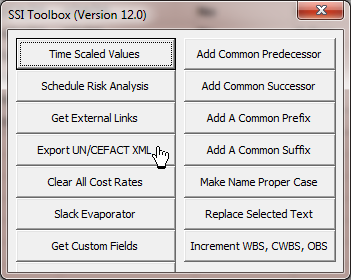
1. Press Export UN/CEFACT XML from the SSI Tool box. SSI Analysis Menu >> Open Toolbox >> Export UN/CEFACT XML.
2. Enter or map required (denoted by the letter “R”) and optional (denoted by the letter “O”) information on the form named SSI UN/CEFACT Exporter
3. Enter the Output Path and File Name
4. Press Make UN/CEFACT Export
Required and Optional Information
Enter required and optional Information on the tabs named Report Information, Project and EV Fields and Notes. Required information is identified using the letter “R” next to the information field name. Option information uses the letter “O” next to the information field name. For example, Project Name is required but Project Description is Optional. Enter text, select text or select a Microsoft Project field for each information type.
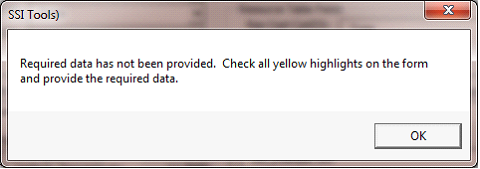
Failure to enter required information generates a message when you press Make UN/CEFACT Export. If this occurs, yellow highlights will indicate which required information is missing.
XML Project and Task Information Help
Hover the mouse over an information field to see help on each subject. In many cases more help is available by double-clicking on the field. Double-clicking on PMT / EV Method opens a help form that describes the accepted values for the field – see Figure 4 - PMT / EV Method help topic.
Qualified or Restricted Information from Project Tasks
Certain task information values are not be accepted if they do not meet the qualifications or restrictions. For example PMT / EV Methods are limited to the following list of accepted values:
-
-
-
-
P01 - 0/100, P10 - 100/0, P50 - 50/50
-
-
-
-
-
Likewise, Planning Level Codes (Plng Lvl Codes) must be one of the following:
-
ACT - Activity. Use this code when there are many activities that relate to a single work package (many to one relationship).
-
CA - Control account. Use this code when the activity represents a control account. This is used for summary work effort that will be further broken down into work package and/or planning package activities in the future.
-
PP - Planning package. Use this code when the activity represents a planning package. This is used for summary work effort within a control account that will be further broken down into one or more work package activities in the future.
-
SLP - Summary level planning package. Use this code when the activity represents a summary level within the WBS. This is used for summary work effort that will be further broken down into one or more control accounts and then into work package and/or planning package activities in the future.
-
WP - Work package. Use this code when the activity is the same as the work package level (one to one relationship) within a control account.
Enter Project Information (R) denotes a Required data element. Though (O) means an item is optional, it is necessary to check specific contract requirements to determine if "optional" items are, indeed, needed for a particular project
Double-clicking many of the data fields displays more help and references related to the topic