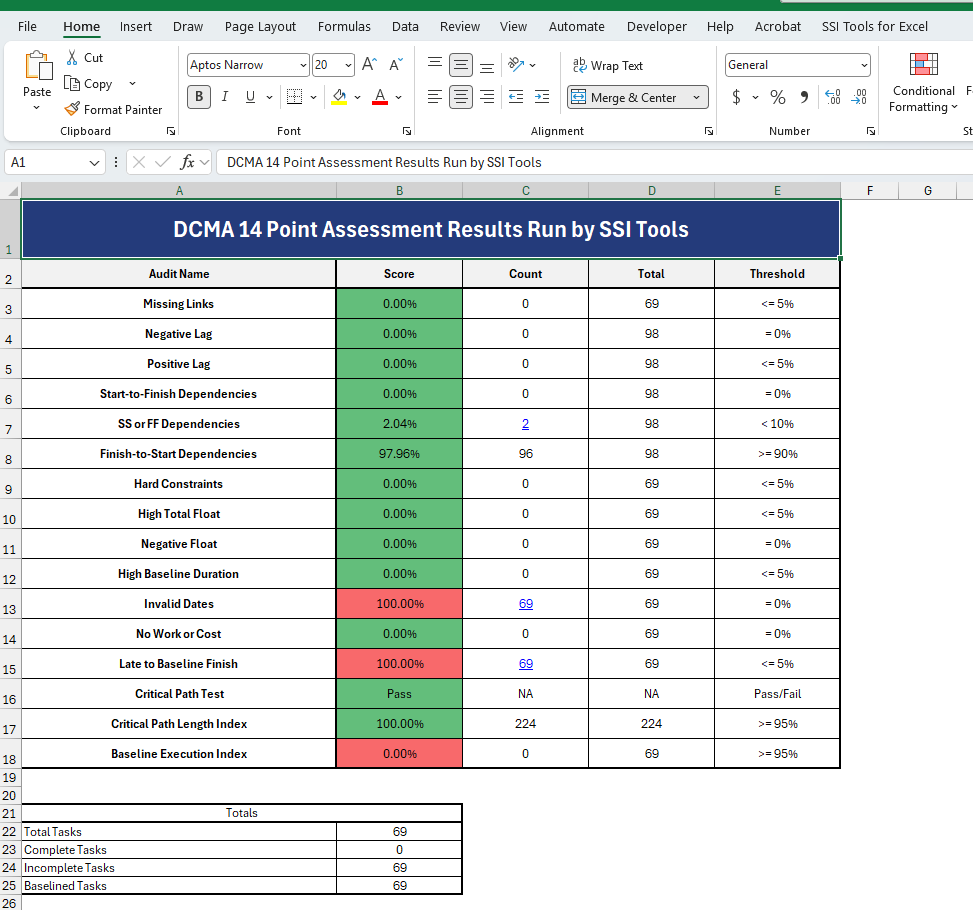
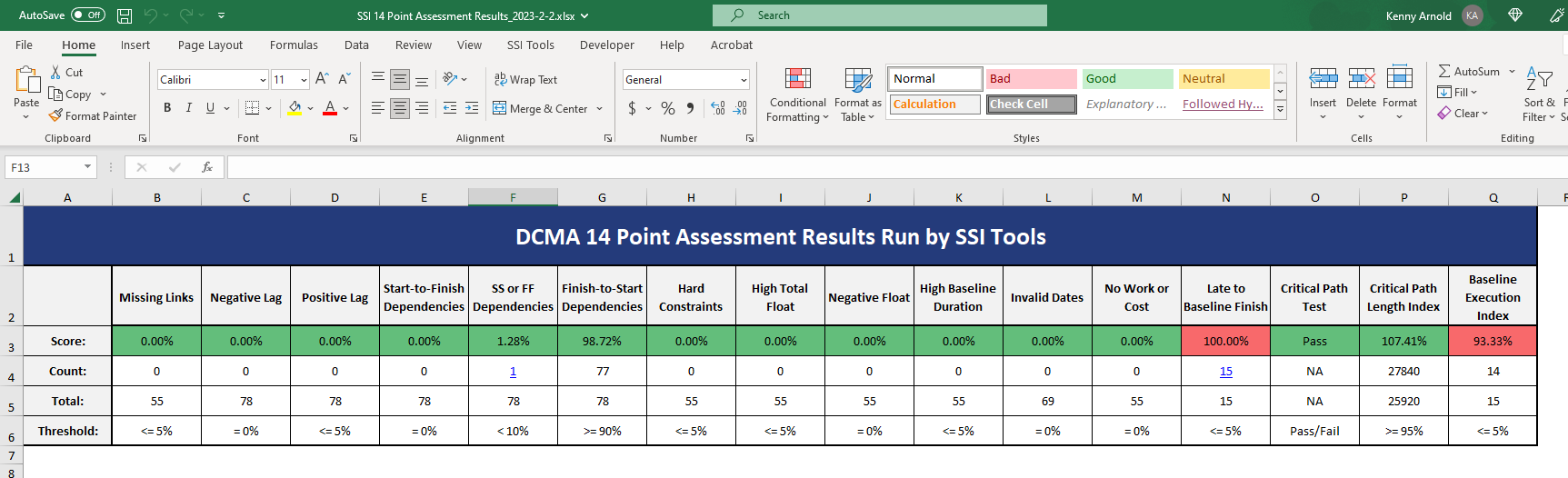
The results of the 14 Point Assessment can be exported to an Excel Report. To do this, click the Export to Excelbutton at the bottom of the SSI 14 Point Assessment tool after the 14 Point Assessment has been run.
When this button is clicked, an Excel file containing the results of the 14 Point Assessment this file will automatically be saved in the SSI Tools installation location and will be titled “SSI 14 Point Assessment Results_[Today’s Date].xlsx”. Once the file has been generated, it can be moved, renamed, or deleted just as any other Excel file. When initially opening the file, the Summary worksheet will be displayed, showing a summary of the audits and their results.
The summary page of the Excel Export has two distinct layouts.
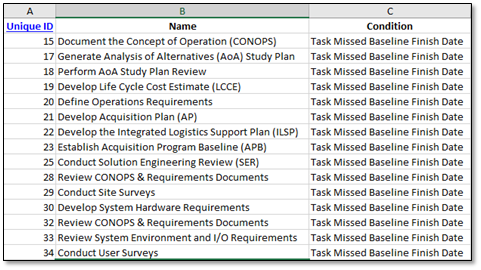
If any items were found by the audits, an additional worksheet will be added to the report detailing the tasks identified, their Unique IDs, the reason they failed the audit, and any additional fields chosen by the user in the Excel Exporting Options tab of the Additional Options form.