The Directional Path Tool form allows you to perform Directional Path analyses on schedule activities and configure options that control how those paths are defined and displayed.
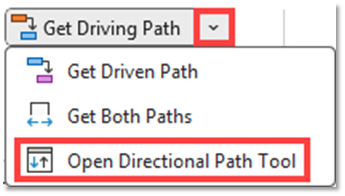
To open the Directional Path Tool form, click the down arrow next to the Get Driving Path button in the SSI Analysis Tools ribbon to reveal the Directional Path Tools menu. Then click Open Directional Path Tool.
Tab Controls
This control can be used to switch between the Path Options and the Path Analysis Tab
Click this button to get a Directional Path from the currently selected task in Microsoft Project. The Directional Path produced will follow the settings on the Path Optionstab.