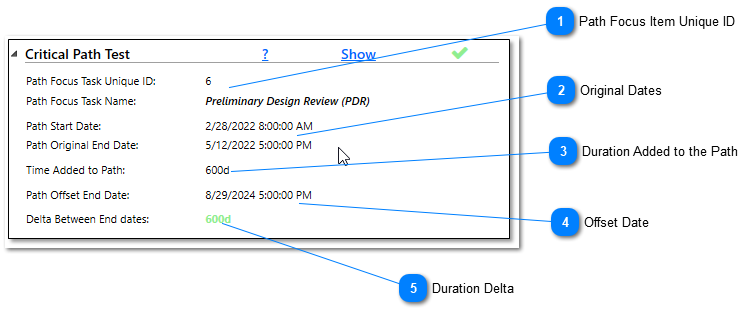
Because the Critical Path Test is unique to the other audits, the audit can be expanded to show more details of how the tool came to the result. For more information on how the Critical Path Test is performed, see this page.
Path Focus Item Unique ID
The first two lines will show the Unique ID and the name of the task that the tool ran the critical path to for the Critical Path Test and Critical Path Length Index.
The next two lines represent the original start date of the earliest task on the path to the focus item and the original finish date of the path focus item
This number represents the delta (shown in standard working calendar days) between the original end date of the focus item and the end date of the focus item and the offset end date after the remaining duration of the earliest task on the path was increased. If delta is the same number as the time added to the path, the Critical Path Test is considered to be passing.