NOTE: Structured Solutions DOES recommend using this method when integrating Subprojects into a master project. SSI's Multi-Project tools are designed to automate the integration and synchronization of "unlinked" Subprojects and the Master Project.
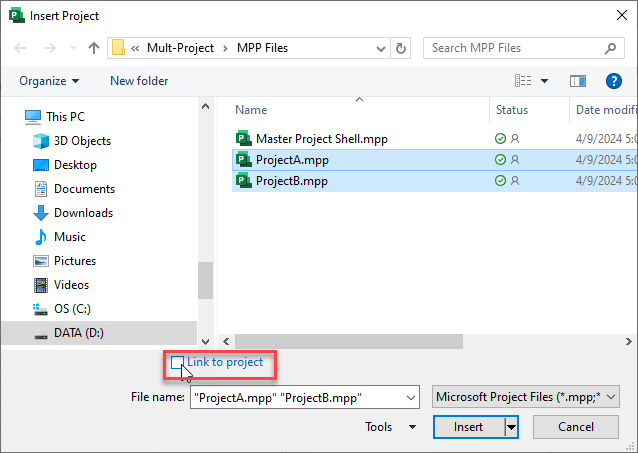
Subproject files can be inserted into a master project "unlinked" from its source file. To insert "unlinked" Subproject files into a master project file, turn the "Link to project" option off when selecting files from the Subproject button:
When you insert an "unlinked" Suproject file into the Master Project, you are really creating a copy ofthe contents of the Subproject withing the master project. The downside to this method is that any changes that are made to tasks from the Subproject in the Master Project will not automatically be reflected in the Subproject file and vise versa, Instead, the master project and Subprojects act as their own singular Microsoft Project files with no connection to each other. The benefit of this method is that it avoids all of the problematic issues from "linked" Subprojects and master projects.
SSI's Multi-Project Tools are designed make it easy to integrated unlinked Subprojects into a Master Project shell, and automatically synchronize dates that are changed within the Subprojects as a result of connecting the all the Handoffs in the Master Project.