Marking a Schedule for Recording
Project files can be marked for change recording, which will automatically prompt the next user who opens the project to begin recording changes.
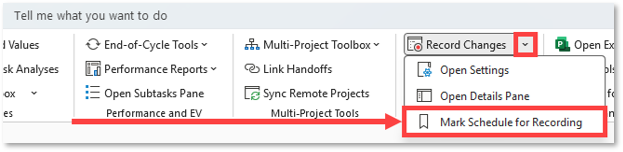
To mark a schedule for recording, click the Mark Schedule for Recording button in the Record Changes drop-down menu:
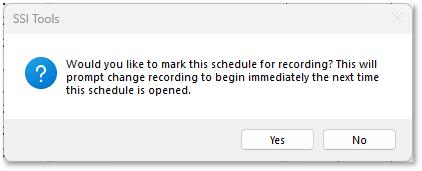
A message asking you to confirm will appear:
Click the Yes button to mark the schedule for recording.
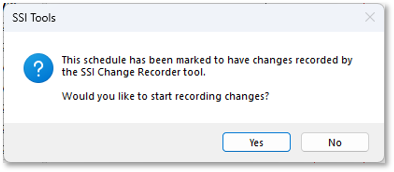
The next time the schedule is opened, the following message will appear immediately:
Click Yes to confirm Change Recorder settings and begin recording changes.