Use this tool to enter a row number Low/High range and get a report of Predecessors and Successors that are outside (external to) that range
Step
Description / Image View
Step 1.
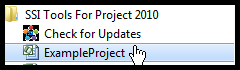
Open Microsoft Project and open the project named ExampleProject.mpp. This file is in the installation folder for SSI Tools and can be found by selecting SSI Tools for Project from the Windows Start menu.
Step 2.
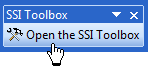
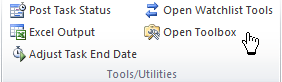
Open the SSI Toolbox and Click the button named Get External Links. Enter 26 as the Start of the Range and 52 as the row at the End of the Range
Project 2003 - 2007 Toolbar
Project 2010 - 2013 Ribbon
Step 3. Review the results in Excel
A new Excel workbook is created with a sheet named External Predecessors showing the Name, Unique ID, Dependency Lag and Dependency Type for each predecessor found outside the task row range entered in the step above. Likewise, External Successors shows the Name, Unique ID, Dependency Lag and Dependency Type for each successor found outside the task row range entered in the step above.