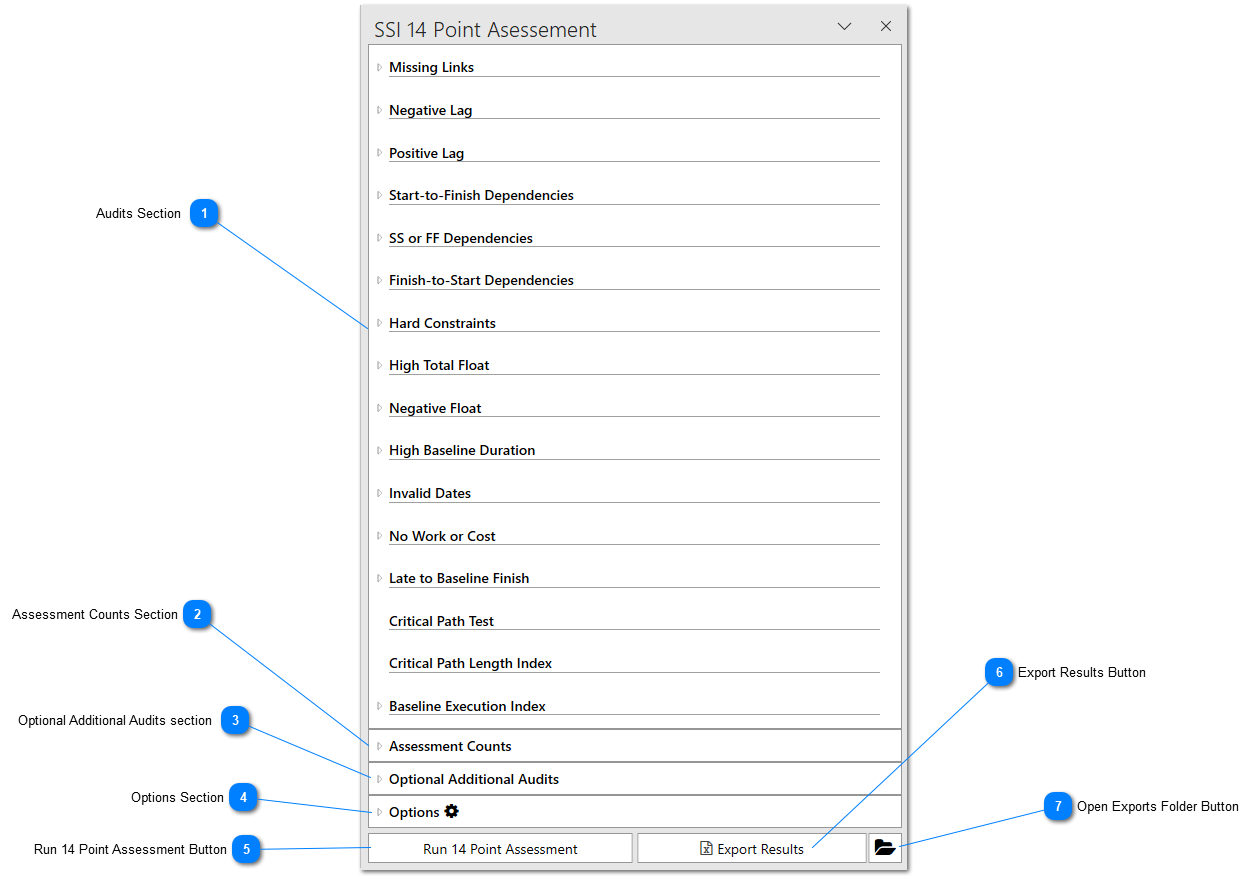
This section of the tool will show you the 14 Point Audits that will be or have been run. Each audit can be expanded to see a description of the audit definition and how it is calculated by the tool. This section cannot be expanded or collapsed. The content within this section will automatically adjust if any of the other sections are expanded. Once the 14 Point assessment has been run, the results of each audit will appear in this section.
This section of the tool will display the total, completed, incomplete, and baselined tasks analyzed by the tool when the 14 Point Assessment is run. Prior to the tool running, these will be set to zero.
This section will display any additional audits selected by the user to run in conjunction with the 14 Point Assessment. These audits can be chosen in the 14 Point Assessment Settings dialog.
This section can be expanded and allows the user to control various quick options for how the 14 Point Assessment will be run once the Run 14 Point Assessment button is clicked.
This button can be clicked to export the results of the 14 Point Assessment to an Excel spreadsheet. This button cannot be clicked until the 14 Point Assessment has been run.