Users enrolled in SSI's Maintenance and Support program will be allowed automatic access to any SSI Tools updates. Updates can include one or more of the following:
New features
Bug fixes
Quality of life improvements
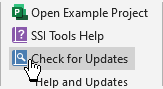
To check for updates and adjust update settings, click the Check for Updates button in the Help and Updates Group of the SSI Analysis Tools Tab
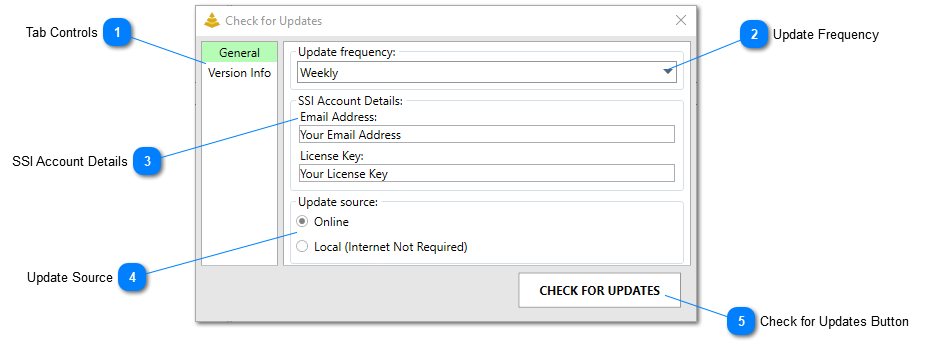
Tab Controls
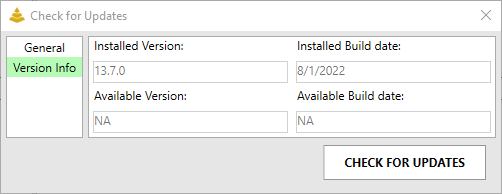
The tab controls will display either the general update settings or the currently installed version info. The version info looks like this:
The update frequency controls how often SSI Tools will automatically check for updates. Users can chose from the following options:
Always (Whenever SSI Tools Starts)
Weekly
Monthly
Only When I Ask
If the Only When I Ask option is selected, SSI Tools will never automatically check for updates. Rather, updates will only be checked for when the user clicks the Check for Updates button at the bottom of the form.
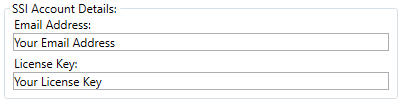
Use these text boxes to enter the email address and license key you used to activate SSI Tools. It's important to note that an automatic updates will only be downloaded and installed if the email address and license key used to activate SSI Tools is entered in these boxes. These will be automatically populated after SSI Tools is activated.
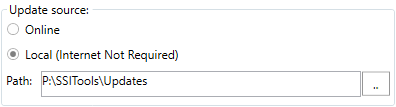
Users can choose between the following update sources for SSI Tools:
Online -SSI Tools will ping the SSI web server when checking if an update is available. If an update is available and the user chooses to download it, the updated SSI Tools package will be downloaded from the SSI web server.
Local -Choosing this option will cause SSI Tools to only check for updates from a local source (The current user's local machine or local network). An internet connection is not required to check for updates if this option is selected. Use this option if your organization blocks or restricts access to the SSI Tools web server. If this option is selected, a path to the location where the updated SSI Tools files will be held must be browsed to.
Clicking this button will cause SSI Tools to check for updates immediately. If an update is available, an option to download and install the update will be made available.