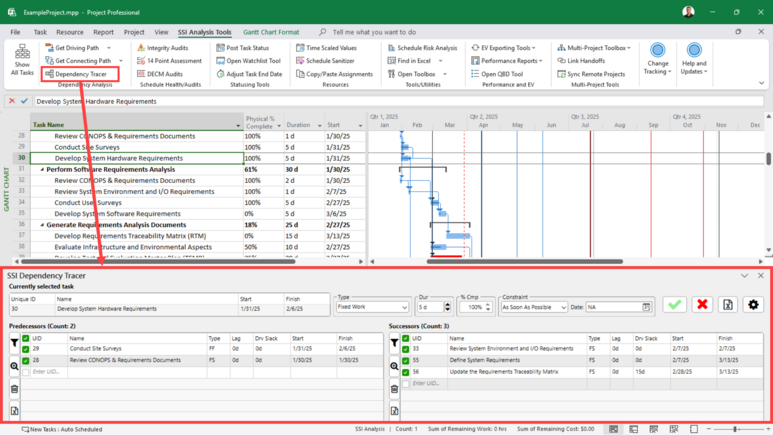
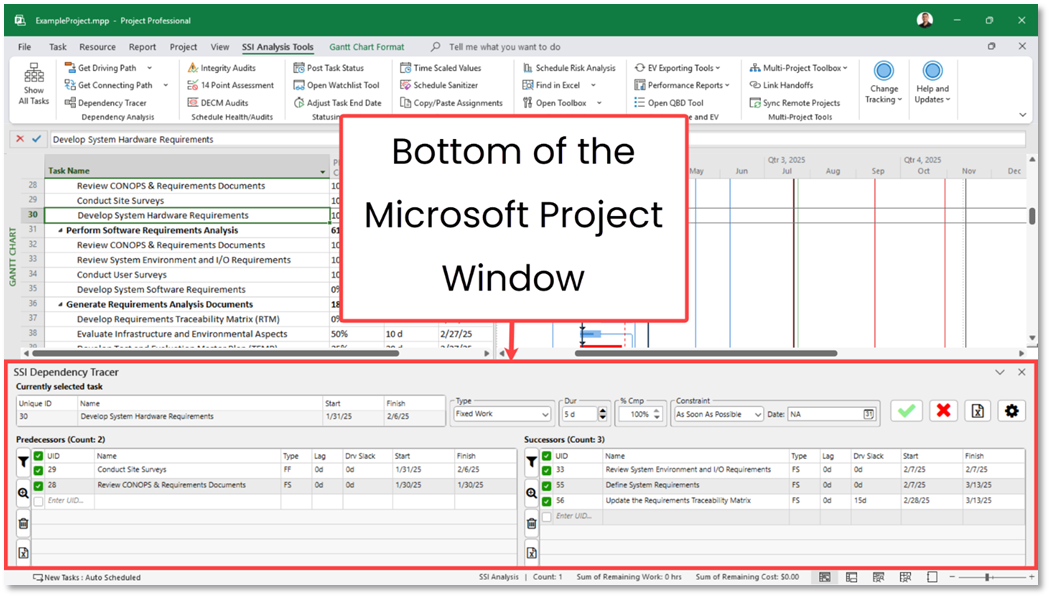
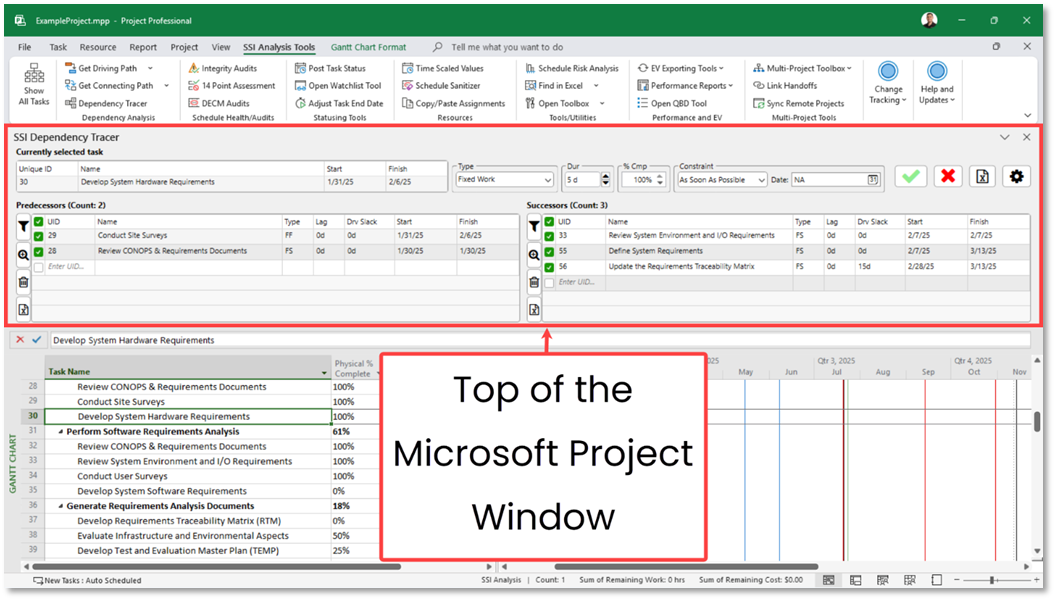
By default, the Dependency Tracer will appear as a task pane docked at the bottom of the Microsoft Project window, similar in placement to the built-in Details pane.
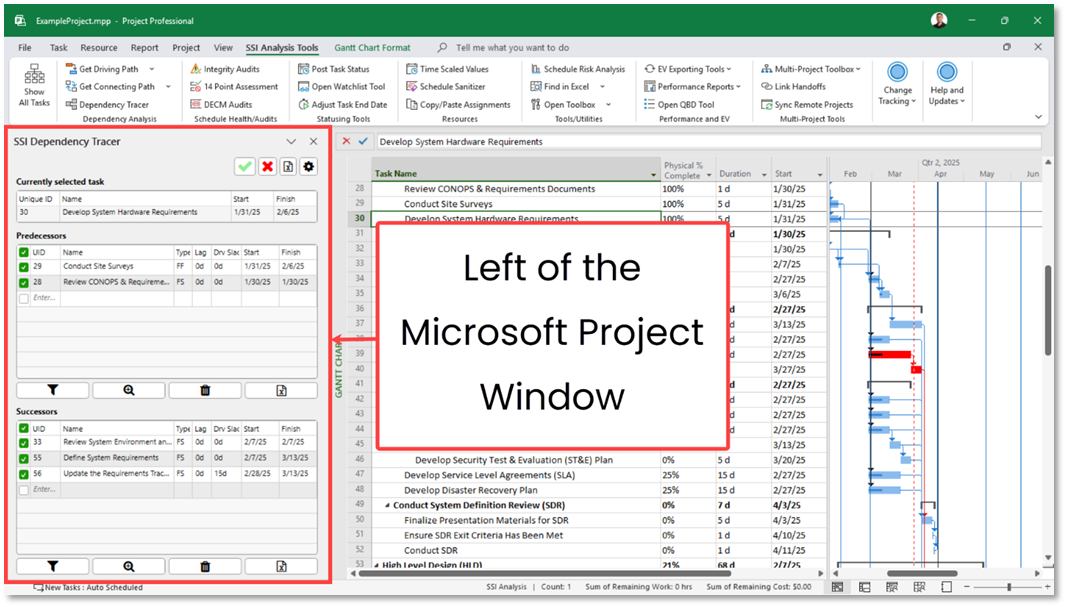
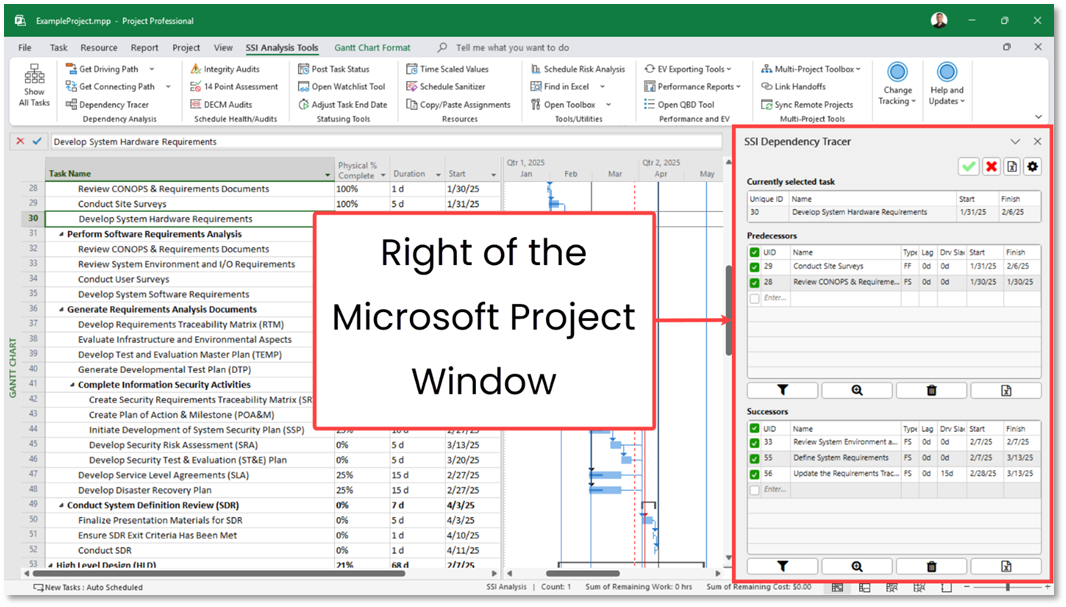
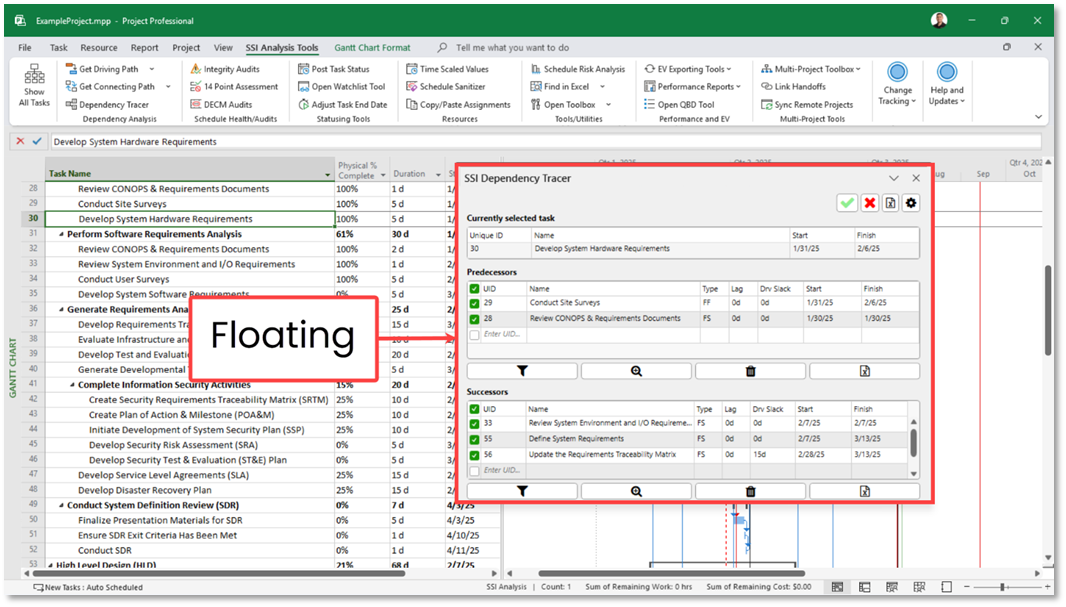
As a task pane, the Dependency Tracer’s position is flexbile. it can be expanded or collapsed, undocked to float freely as a standalone window, and redocked to any of the four sides (top, bottom, left, or right) of the Microsoft Project window. You can reposition the Dependency Tracer to suit your personal preferences. Its current location is automatically saved, so the next time you open it, it will appear in the same position as it was previously. The layout of the Dependency Tracer’s controls automatically adjusts based on its position.
The Dependency Tracer has two Layout modes:
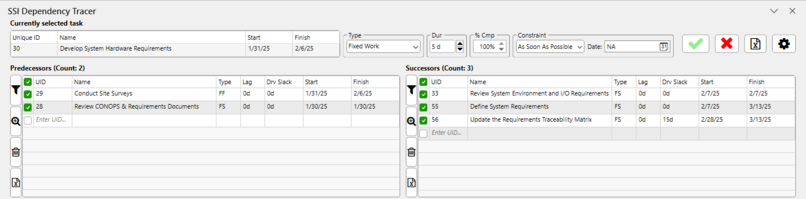
Horizontal:
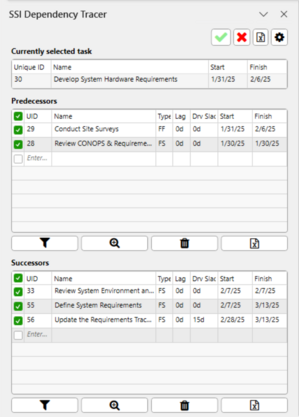
Vertical:
The Horizontal Layout is displayed when the Dependency Tracer is docked to either the bottom or Top of the Microsoft Project Window:
The Vertical Layout is displayed when the Dependency Tracer is docked to either the left or right of the Microsoft Project Window or undocked (floating) from the window completely:
No matter what layout the Dependency Tracer is in, it will always display a section for the currently selected task, a predecessors table, and a successors table. When the Dependency Tracer is in the Horizontal Layout, additional controls for the currently selected task become available that are not available in the Vertical Layout.