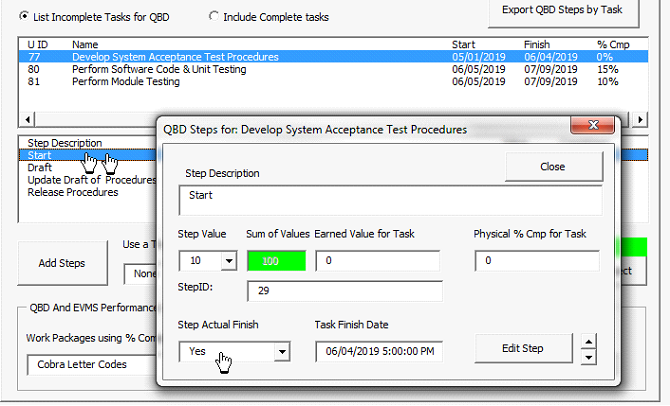
Editing and posting progress to an existing QBD Step is simple. Just double-click a line in the Step to open the QBD Step Edit form. You can change the Step Description, Step Value and Step Actual Finish. You can pick an actual Finish date for a step by double-clicking Step Actual Finish or just pick Yes from the drop-down list.